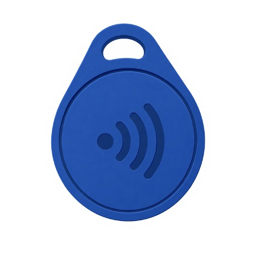
NFC tags
Start or end a session with a physical tag placed away from your phone.
A free, privacy-first, open-source alternative to Brick, Opal, ScreenZen, Unpluq, Blok, and more.
Featured in




Start or end a session with a physical tag placed away from your phone.

Print a code or keep one somewhere that makes distraction inconvenient.
Choose a duration and let Foqos keep the boundary for you.
Take intentional, timed pauses without ending your whole session.
Use Apple Screen Time APIs to block the distractions you choose.
No account, ads, subscription, or tracking. Your data stays on your iPhone.
These videos were shared independently by people who found Foqos on their own. We did not pay for these posts.
Are you one of these creators and would rather not have your video featured here? Message me on TikTok and I’ll remove it.
Kind words that just make my day.
“Exactly what I wanted a Brick to do for 1/70th of the price!”
“Foqos has literally changed my life. I spend way less time on social, and more time doing other things like reading or even just being outside.”
“Completely fixes my relationship with my phone: what I want access to, when, and real friction in the way.”
“Beats Brick and holds it up by its feet.”
“Foqos has allowed me to strike the perfect balance.”
“I have been able to sleep better, focus, and wake up without getting distracted by social media.”
“Combined with some cheap NFC tags, [Foqos] completely replaces expensive Brick/Padlock systems.”
“The only app for its purpose that is worth using.”
“BEST APP EVER… this is FOR FREE and open source as well.”
“Foqos, on the other hand, has a great-looking and functional app… Foqos works with any NFC tag.”
“The best app. No subscription, no ads. Many ways of setting it up.”
“Truly the best app out there. It has reduced my doomscrolling by so much.”
“Bought a Brick and returned it the same day. Does the same thing… and saved $75.”
“Seriously, the developer of this app is amazing for releasing it for free!”
“It has helped to reduce my screen time drastically.”
“This is the best blocking app I’ve used (Opal, Freedom, Cold Turkey), and it’s FREE!”
“Helped me cut my screen time down from 7 hours to 3, and it’s completely free.”
“It actually blocks my apps, like FOR REAL!! Love, love, love.”
“Better than Brick. Better than Screen Time alone. Cheaper, more flexible, just… better.”
“I’ve tried a lot of app blockers and this one has been the best so far. Can 100% recommend.”
“Best option available compared to every screen-time app I’ve tried. It has made a positive impact on my life.”
“This is an awesome dupe for Brick. Literally free and has awesome options for both NFC and QR codes.”
“This app truly deserves a review. It is genuinely changing my life and my habits.”
“I appreciate all the ways you can customize the app to implement the limiting strategy you want.”
“Better than Brick and Blok… the fact it’s free is just so nice.”
“A great tool helping me cut down on my phone time.”
“The app is simple, easy, clean, and actually blocks my apps.”
“I was contemplating getting a Brick and this is 100 times better… It was a game changer and I did it for free.”
“Works so well and the app UI is so simple and intuitive.”
“This app is EVERYTHING. It was super easy to map the NFC tag and it genuinely works like a charm.”
“It works just as well as Brick, BUT IT’S FREE! Would highly recommend to anyone who struggles with phone addiction.”
“So helpful! I was able to lower my screen time to less than two hours per day.”
“I’ve reclaimed an hour or more a day because of this app!”
“This app is truly amazing… and the best part is I saved $50 vs buying a Brick!”
“Every person needs this… The design is so smart and perfect for helping me get my life back.”
“Foqos is an absolute game changer. My productivity has improved significantly, and my screen time has dropped noticeably.”
“Guys, this is the EXACT thing and the app developer has it for FREE… the exact app I needed to get my life back.”
“I find it super useful to reduce distractions and screen time.”
“Unmatched. Unbeaten. Perfect. Simple. Works all the time. Absolutely free.”
“This is literally the same thing as companies like Brick—just free and easy to use… Would definitely recommend.”
“Simple, easy to use, and no proprietary hardware.”
“This app is amazing! Totally recommend it to anyone struggling to focus because of their phone.”
“Don’t waste your money and buy a Brick app blocker. Download this for free. No ads, no subscriptions.”
“It feels like a breath of fresh air to find an app that is designed well, functions properly, and is actively maintained.”
“No gimmicks—straight tough-love blocking—and I’m starting to miss my social media apps less and less.”
Yes. Foqos is a free, open-source iPhone app blocker with no subscription and no in-app purchases. It supports app and website blocking with manual, NFC, QR, and timer-based activation.
Foqos uses Apple Screen Time APIs. You create profiles, choose apps or websites to block, then activate sessions manually, through an NFC tag or QR code, or with a timer.
No. Foqos is free to use with no subscription and no in-app purchases. The project is supported voluntarily by its community.
Yes. Foqos works with standard NFC tags such as NTAG213. You can also use QR codes if you do not want to use an NFC tag.
Free, open source, and available on iPhone.
Get Foqos on the App Store